RF-Link Node Quick Setup Guide (IAX Extension Method)
For registration of an IAX2 extension (RF-Link) to FreeSTAR Everywhere
1. Supply Your Credentials
Open a ticket with https://support.freestareverywhere.com and supply the PBX admin with the following information: - Callsign: The callsign of the individual or club applying for the RF-link. - Extension Name: The RF-Link display name (phonebook) - IAX Dial String: The string you need to provide the PBX admin to configure your extension. Use the IAX2 String Generator to create this. - License Document: Copy of the license document for callsign or club.
The PBX admin will use these details to create your IAX extension.
2. Configure RF-Link Node Example (/etc/asterisk/iax.conf)
Use the IAX2 Config Generator to help generate this configuration, or manually create it as shown below:
;FreeSTAR Everywhere PBX Connection
[GB1ABC]                   ; <--- Replace with your IAX username/callsign, must match USERNAME, UPPERCASE
username = USERNAME        ; <--- Replace with your IAX username/callsign, must match USERNAME, UPPERCASE
secret = PASSWORD          ; <--- Replace with your password for this RF-Link, STRONG PASSWORD
type = user
context = fsphone
disallow = all
allow = ulaw
transfer = no
3. Dialplan Example Setup (/etc/asterisk/extensions.conf)
Use the IAX2 Config Generator to help generate this configuration, or manually create it as shown below:
[fsphone]
exten => ${NODE},1,answer()
exten => ${NODE},n,Playback(rpt/Connecting)
exten => ${NODE},n,Wait(2)
exten => ${NODE},n,Playback(rpt/connected)
exten => ${NODE},n,Set(CALLSIGN=FS-${CALLERID(name)})
exten => ${NODE},n,rpt(${NODE}|P|${CALLSIGN})
exten => ${NODE},n,Hangup
Online Configuration Tools
FreeSTAR Everywhere provides two helpful web-based tools to assist with configuring your AllStar node for IAX2 connections:
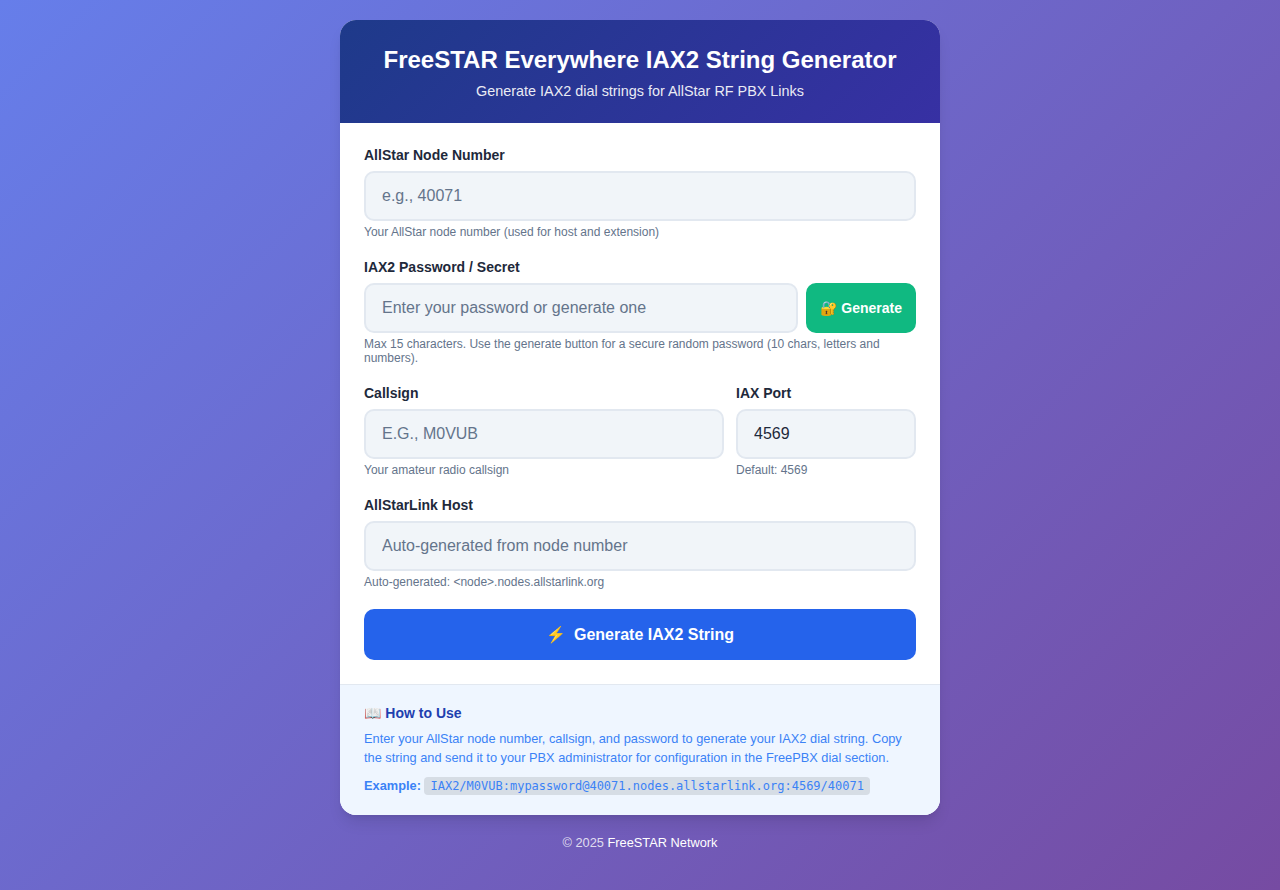
IAX2 String Generator
The IAX2 String Generator helps you create the IAX2 dial string needed to connect to your AllStar node. Use this tool to generate the correct dial string format for your node configuration and PBX admin request.
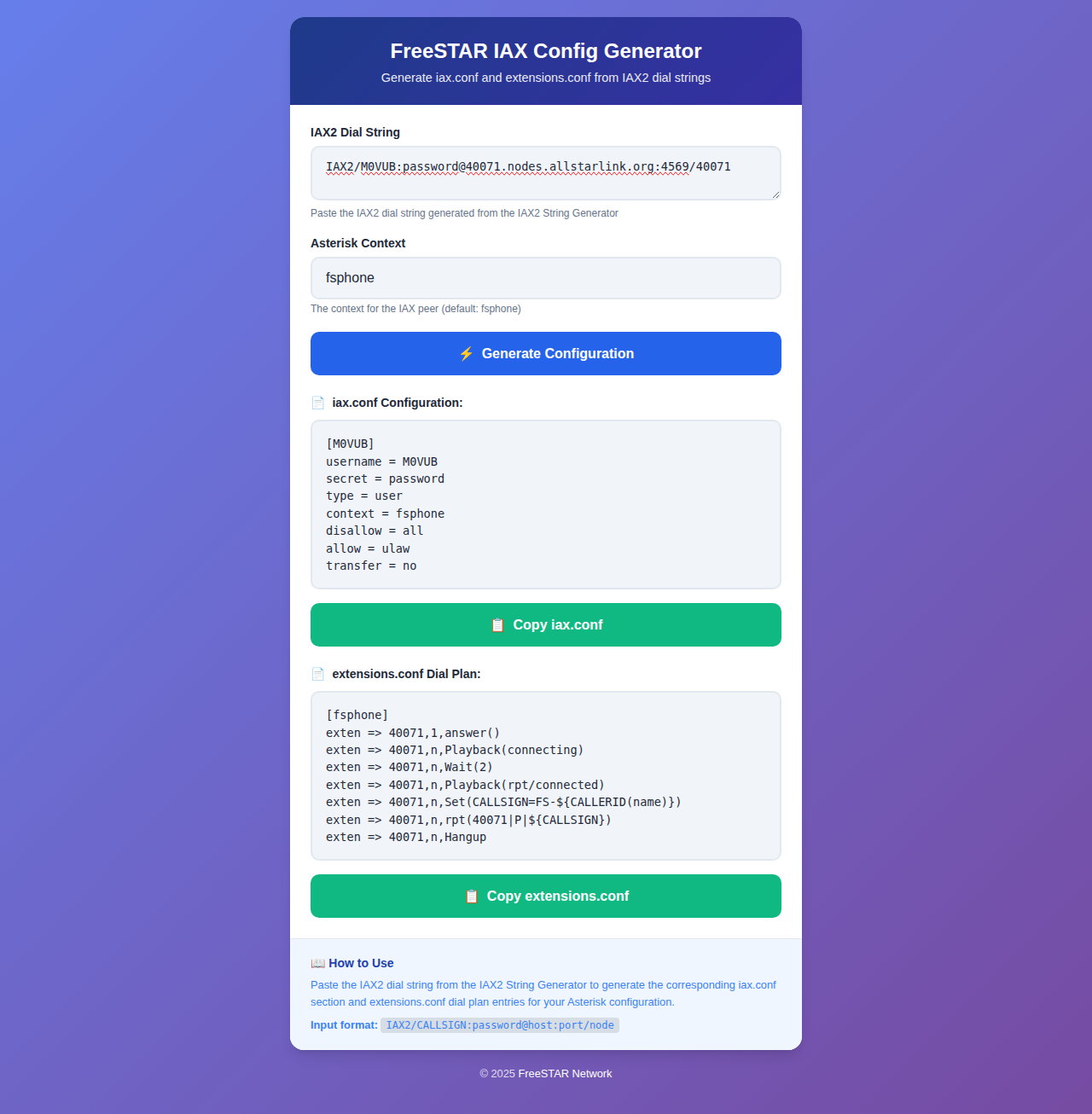
IAX2 Config Generator
The IAX2 Config Generator helps you generate the configuration for your AllStar node's iax.conf and extensions.conf files. Simply enter your IAX2 dial string you created in the IAX2 String Generator and the tool will create the correct configuration blocks for you.
4. Port Forwarding
Forward UDP port 4569 (or your custom port) to your node’s IP address if needed.
5. Reload Asterisk
Or use your control GUI’s "Reload" function.6. Testing
- Dial your assigned extension from FreeSTAR Everywhere .
- Check monitoring for callsign display on your Allmon/supermon dashboard.
- Ensure credentials match PBX settings.
Support
https://support.freestareverywhere.com
Last updated by: M0VUB